Admissions Management
Process applications consistently from submission and file checking through interview, approval, offer and electronic acceptance.
Explore the tools that connect application processing, admissions, student registration, learning plans, attendance, support and completion. iCollege brings the day-to-day work of UK colleges and education providers into one connected student management system.
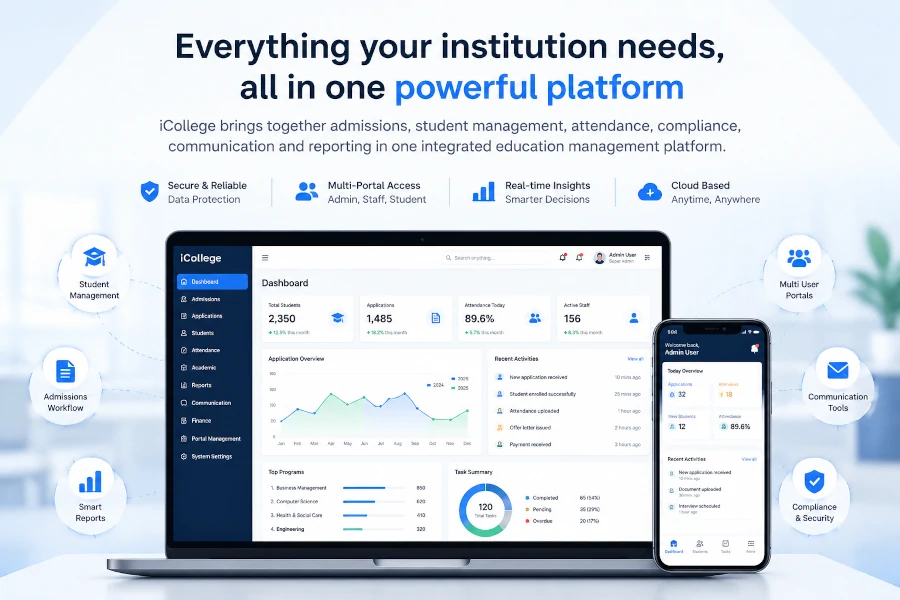
Follow the journey from application submission through file checks, interviews, offers and approval, then into student registration, learning, attendance and progression. Each stage keeps the relevant people, documents and decisions connected.
Process applications consistently from submission and file checking through interview, approval, offer and electronic acceptance.
Maintain a complete learner record containing profile information, documents, registration history, ILPs, absences, notes and communications.
Connect campuses, awarding bodies, courses, intakes, classrooms, timetables, teachers and student groups.
Record attendance, manage authorised absences and review attendance patterns and Moodle engagement at student and group level.
Give agents and sub-agents controlled access to submit applications, provide documents and follow application progress.
Use operational reports for attendance, teaching time, demographics, awarding bodies, admissions and recruitment activity.
Manage each application through a structured admissions workflow. Caseworkers review evidence, request missing documents and complete file checks; authorised staff arrange interviews, record outcomes and manage offers and approval. Ownership, staff assignments, notes and status history show how the application has progressed.
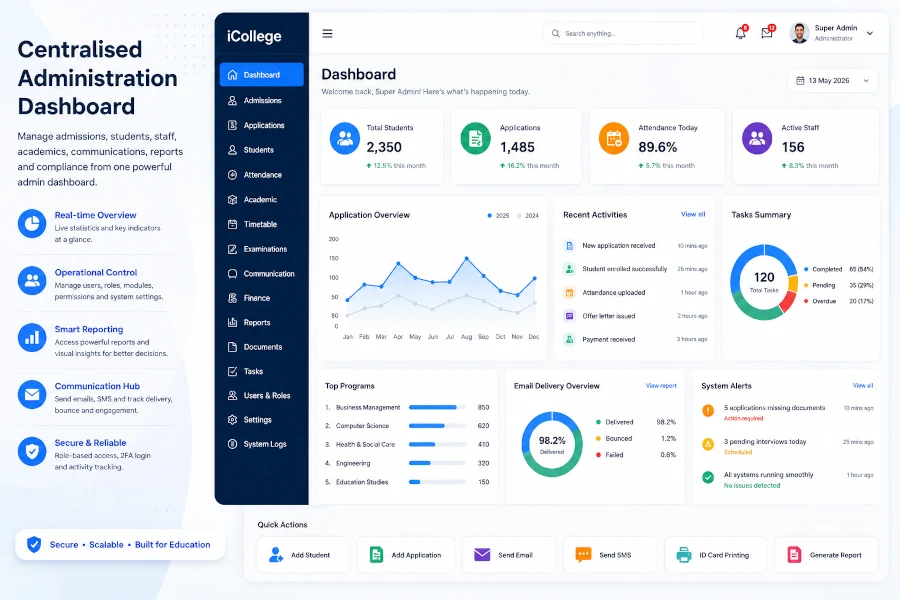
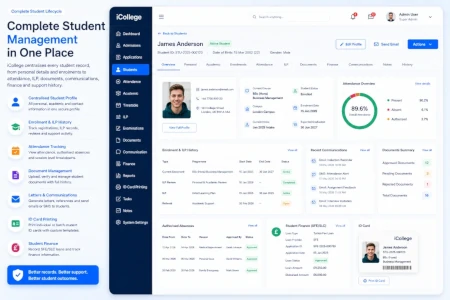
Keep each student’s profile connected to their original application and ongoing college journey. Authorised staff can review documents, registration changes, learning plans, support records and communications without rebuilding the history in separate folders or spreadsheets.
Maintain a continuous record without overwriting the important stages of a student’s journey.
Maintain each enrolment and its course, campus and status. Major course or campus changes can create a new registration while preserving the previous record.
Keep multiple Individual Learning Plans under a registration for different academic periods. Record the year, term, modules and progression separately from teaching timetables.
Record progression, pass, completion, cancellation or termination outcomes while retaining the supporting student and registration history.
Search individual records or narrow the student list to a specific group. Bring together the filters your team needs for administration, follow-up and reporting.
Connect student reflections, teacher reviews and support actions to the learner’s academic journey.
Record academic year, term, cohort, modules and progression. Review ILP history alongside attendance and authorised absences for the relevant period.
Collect questionnaire responses before a review so students can describe achievements, challenges and the support they need.
Record structured progress reviews covering skills, attendance, feedback, adjustments and extensions, informed by the student’s reflection.
Review how many checkpoints students have completed. Filter by course, campus, intake or group to identify gaps in progress reviews.
Refer students for support, record the relevant service and staff, and retain notes, actions and follow-up referrals.
Keep staff notes and warning information connected to the student record so authorised teams can understand previous concerns and follow-up activity.
Configure the academic structure once and connect delivery across campuses, awarding bodies, courses, intakes, classrooms and timetables.
Create multiple campuses and manage campus-specific courses, intakes, classrooms, timetables, students and operational reporting.
Maintain course, programme, module, qualification, academic partner and awarding-body records in a connected structure.
Configure intake dates, course commencement dates, interview requirements, application caps, induction invitations and attendance.
Build teaching schedules by campus, course, intake and student group, then assign teachers and scheduled sessions.
Create teaching spaces, record capacity and connect classrooms to campuses and scheduled academic activity.
Configure grading structures and grading matrices by awarding body to support consistent academic result management.
Record attendance against teaching sessions and review participation across students, classes, courses and campuses. Attendance histories, authorised absences and update logs help staff understand the record behind a percentage and identify learners who may need follow-up.
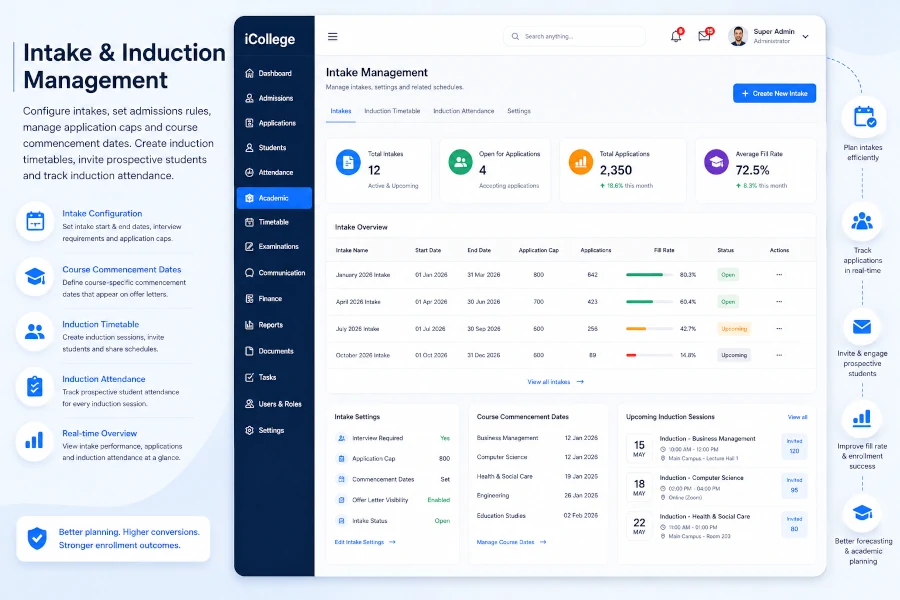
Keep context alongside attendance rather than relying on a percentage alone. Record why a student was absent and maintain the information staff need to review teaching sessions.
Give agents a dedicated Apply portal to submit applications, upload evidence and follow the progress of their own applicants. Admissions teams can request missing information through the system while retaining control over checks, decisions and access.
Keep evidence, official documents and communications connected to the relevant applicant or student. Automate repeatable admissions tasks while retaining a history for staff to review.
Define document types and mandatory evidence requirements for applicants, students, teachers, campuses and other record types.
Send individual or group email and SMS messages, retain communication histories and review email delivery and bounce reports.
Use duplicate checks and outstanding-document reminders to support admissions. Approved applicants can transfer overnight into student records and be registered on their applied course.
Generate student documents and retain the information needed to trace what was issued, when and by whom.
Generate official letters and references, retain copies against the student and review issued documents by template, category, issuer or date.
Letters can include a digital signature and a unique verification string, helping the institution identify and check issued documents.
Produce individual student ID cards or consolidated PDF batches of up to 200 students, with batch history retained for later reference.
Review admissions, attendance, teaching activity, student demographics and recruitment performance. Filter relevant information to support operational decisions and your institution’s evidence and reporting processes.
Use named operational reports to focus on the information relevant to your role. Report availability, filters and export options depend on the selected package and configuration.
Give staff a clearer view of assigned work and the information needed to run the institution.
Assign work to staff, set priorities and due dates, track status and filter overdue tasks so outstanding actions remain visible.
Review student statistics and task overviews to see operational activity and work requiring attention.
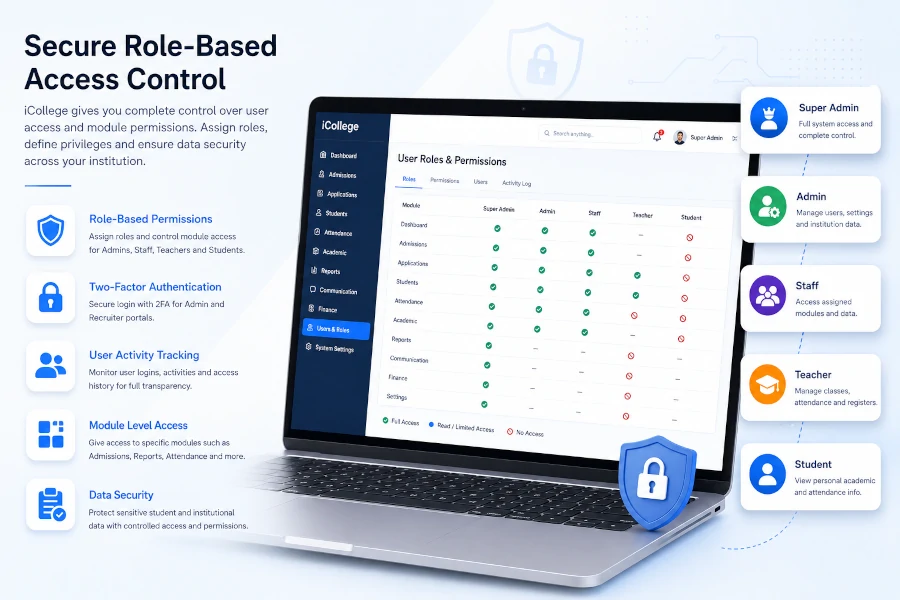
Manage users, recruitment agents, roles and individual privileges alongside the configuration records used by the institution’s workflows.
Give each user access to the information and workflows appropriate to their responsibilities. Staff, teachers, students and recruitment partners use purpose-specific areas while the institution controls permissions centrally.
Manage admissions, students, academic delivery, communication, reports and system configuration.
Use role-restricted Office portal access for assigned classes, registers and permitted student progress activities.
Access permitted attendance, academic, document and self-service information.
Submit applications, provide documents and follow progress securely.
iCollege is a connected college management system for independent colleges, private education providers, training providers and education groups. It brings admissions management, student records, attendance, academic administration, recruiter activity, communication and reporting together so teams can work from consistent information.
A virtual learning environment such as Moodle supports teaching materials and learning activities. iCollege manages the administrative student journey, connecting admissions, enrolment, attendance, support and institutional records. The systems complement each other, with Moodle engagement visible where integrated.
Follow one applicant through submission, document checks and admission, then explore their student record, learning plan, attendance and progression in a personalised demonstration.
Features, integrations, reporting and implementation services depend on the selected package and agreed requirements. iCollege supports institutional record-keeping and processes; it does not guarantee regulatory compliance.