Platform Configuration
Configure core platform settings including campuses, users, roles, permissions, academic structures, departments and operational access.
iCollege implementation helps UK colleges, universities and training providers configure their education management platform with the right admissions workflows, student records, attendance setup, portals, documents, users, reports and operational processes.
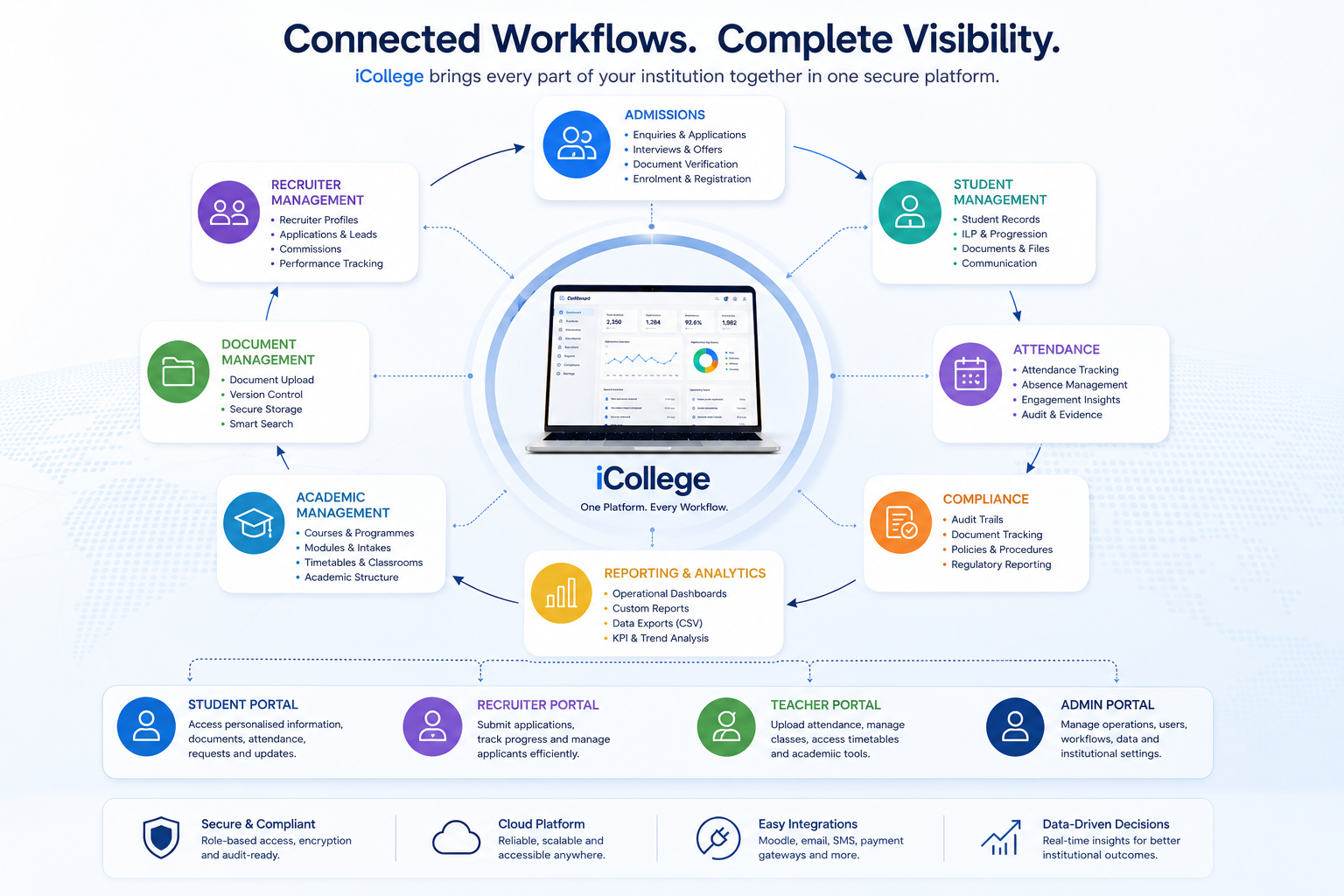
iCollege implementation is focused on configuring the platform around how your institution manages applicants, students, attendance, documents, academic delivery, communication, compliance and reporting.
Configure core platform settings including campuses, users, roles, permissions, academic structures, departments and operational access.
Set up application stages, interview requirements, document checks, intake rules, offer workflows and applicant communication processes.
Configure student profile sections, registration history, documents, absences, ILP records, notes, letters, ID cards and finance tracking.
Prepare attendance workflows for teaching sessions, class registers, teacher uploads, attendance monitoring and reporting requirements.
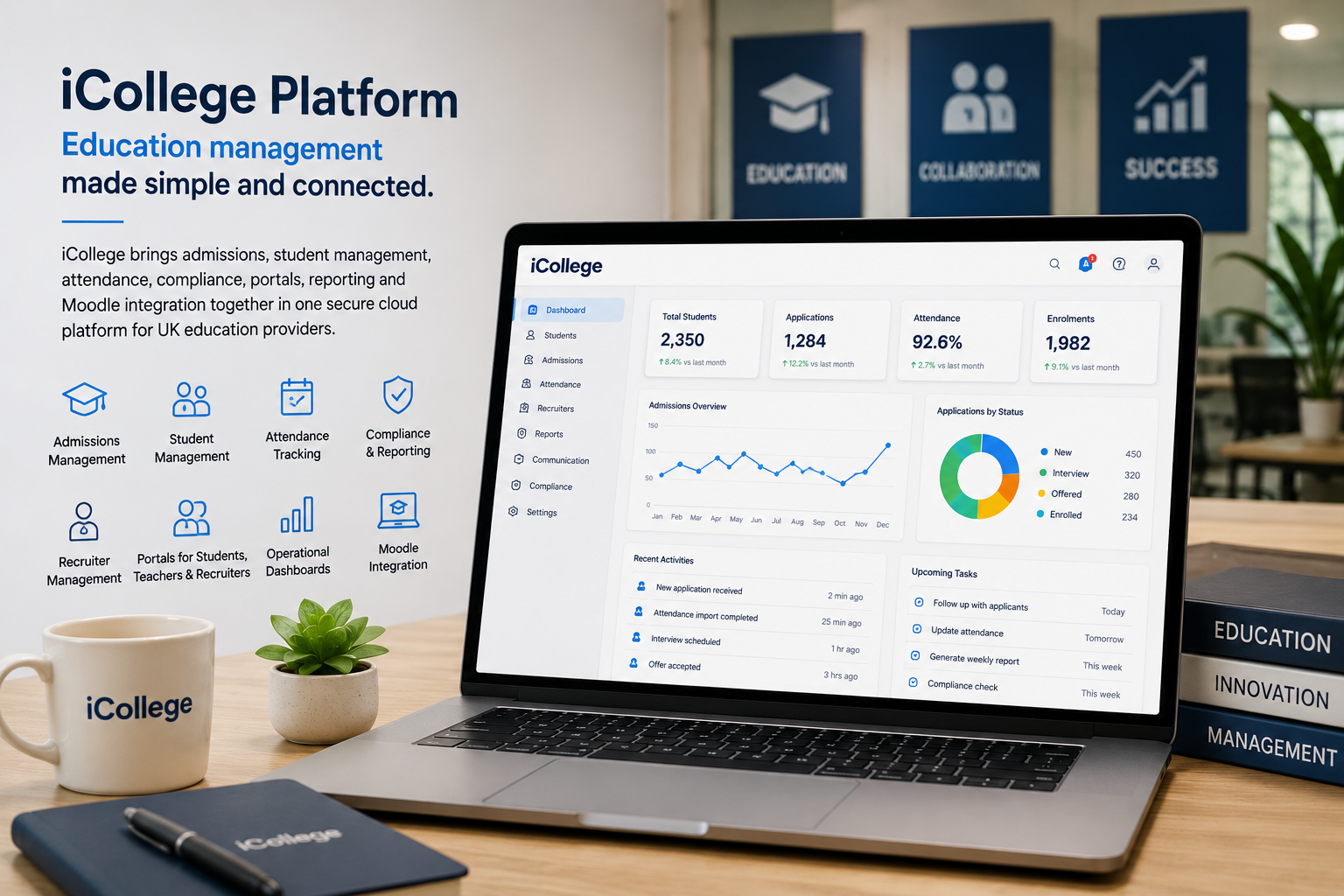
A successful college management software implementation needs more than a technical installation. iCollege onboarding focuses on understanding your operational structure, configuring each module correctly and preparing your team to use the system confidently.
iCollege implementation follows a practical setup process so your institution can move from initial configuration to live operation with a clear structure for users, workflows, records and reports.
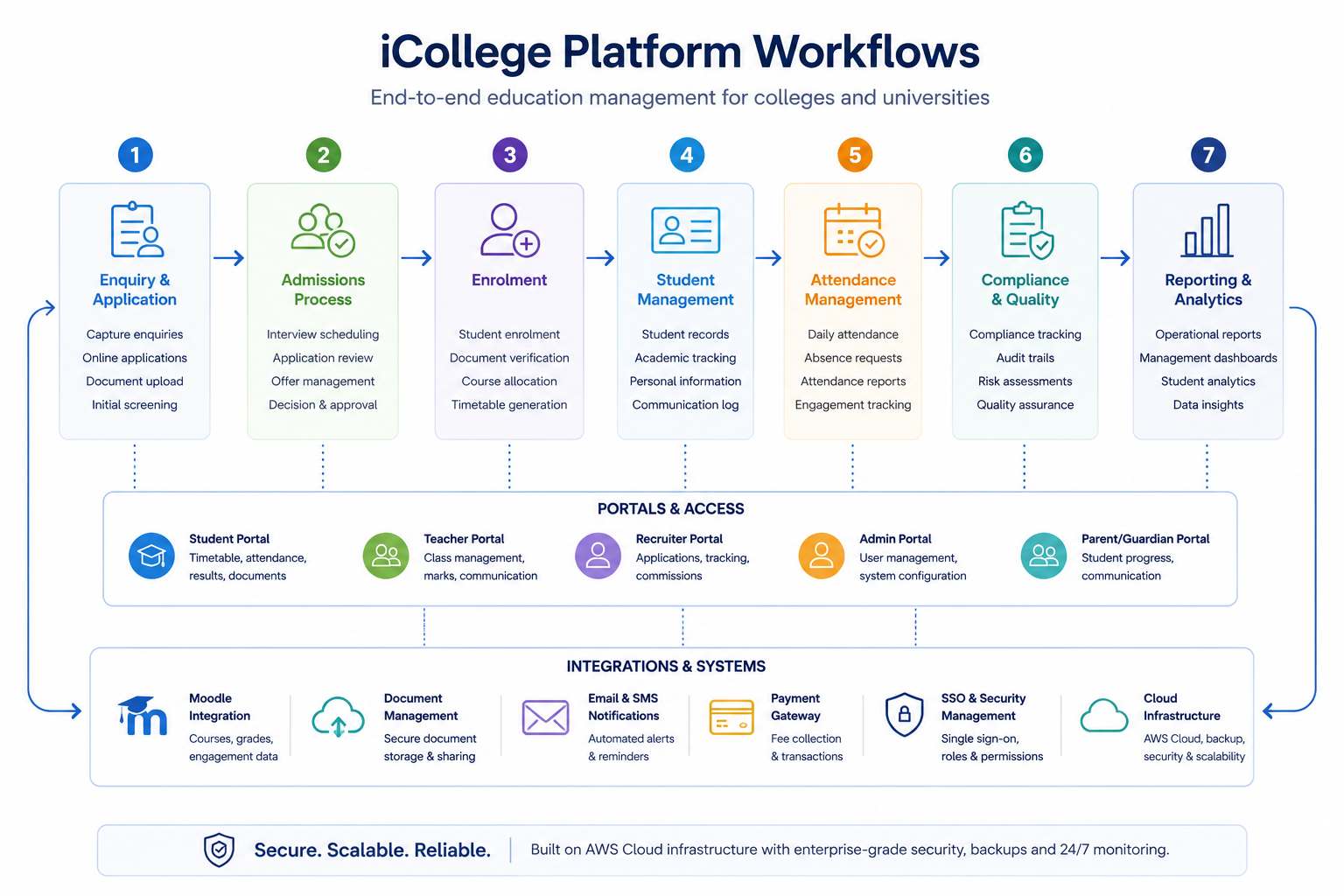
iCollege can be configured around your institution structure, departments, courses, applicants, students, teaching activity, compliance rules and reporting needs.
Configure campuses, courses, subjects, modules, partners, awarding bodies, classrooms, intakes and academic delivery structures.
Define document types, entity-based document mapping, applicant document requirements and mandatory document checking rules.
Create access rules for admin users, recruiters, teachers and students with controlled module-level visibility.
Configure group email, group SMS, communication histories and reporting visibility for institutional messaging.
Prepare recruiter portal access for application submission, applicant progress tracking, document uploads and partner activity.
Configure teacher access for assigned classes, downloadable registers and attendance upload workflows.
Prepare management reports for admissions, attendance, interviews, student monitoring, communication and operational performance.
Support secure cloud deployment and platform readiness for live institutional use.

During implementation, iCollege access can be prepared for each user group so administrators, admissions staff, compliance users, recruiters, teachers and students only access the areas relevant to their role.
iCollege implementation can support institutions in preparing their operational data structure, aligning key workflows and moving from disconnected spreadsheets or legacy processes into a single education management platform.

iCollege implementation is designed to help education providers move from setup to active use with clear configuration, tested workflows and practical support for the teams who will manage the system every day.
iCollege implementation supports colleges, universities and training providers that need a structured education management system setup for admissions, student management, attendance tracking, academic administration, document control, communication, reporting and portal access.
The implementation process can include configuration of campuses, courses, intakes, application workflows, student profiles, mandatory document rules, recruiter access, teacher access, student portal access, attendance monitoring, reporting dashboards, user permissions and cloud deployment readiness.
For education providers moving away from spreadsheets, disconnected databases or legacy college MIS processes, iCollege provides a connected platform implementation approach that helps align operational workflows with a secure and scalable education management system.
Speak to us about setting up iCollege for your institution, including admissions, student records, attendance, portals, reporting, documents, permissions and go-live support.